
Cloud-IAM Extensions Catalog
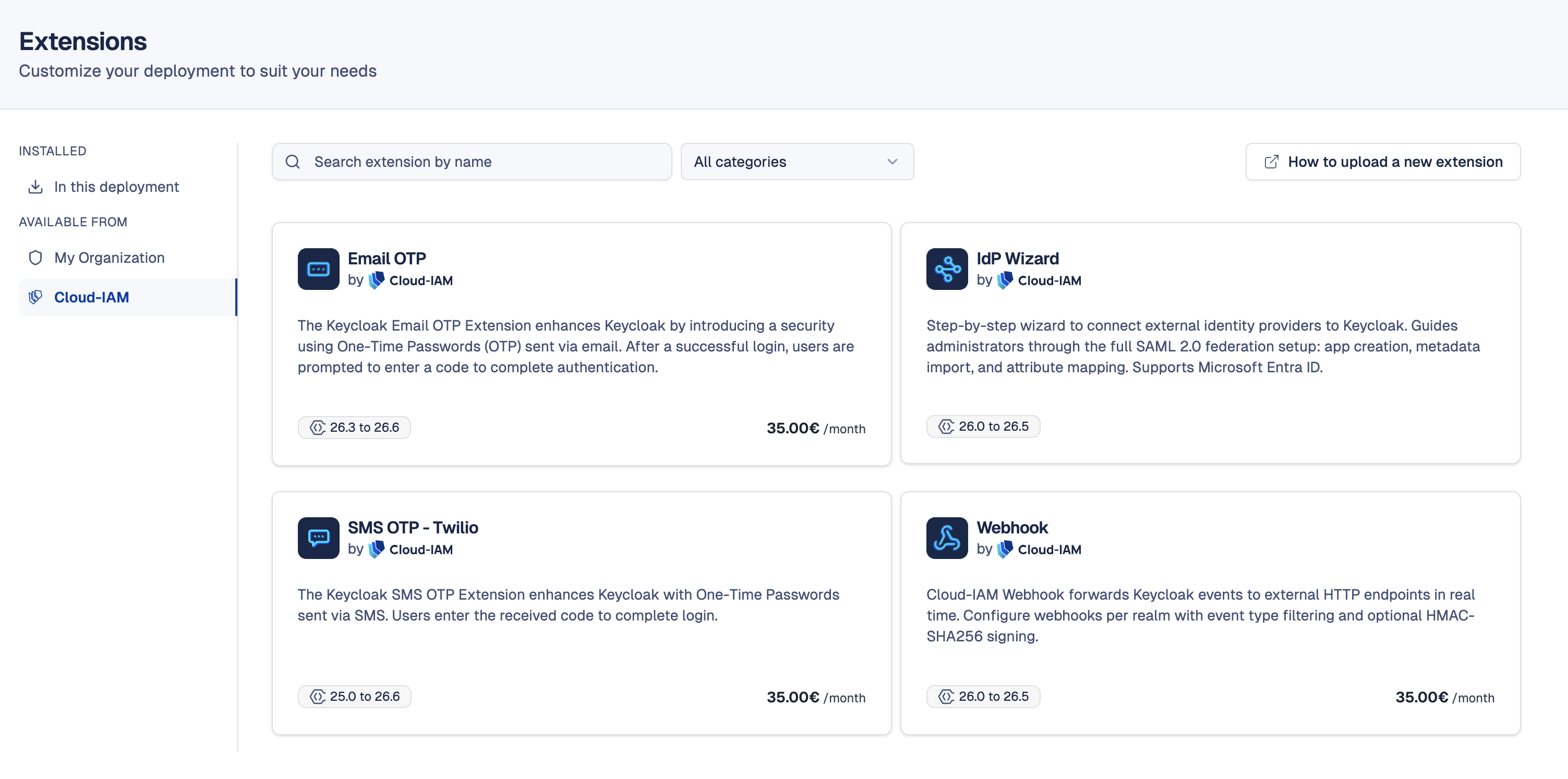
What is the Cloud-IAM Extensions Catalog?
The Cloud-IAM Extensions Catalog is a collection of ready-to-use Keycloak extensions, built, maintained, and supported by Cloud-IAM's Keycloak expert team. These custom extensions or SPIs are designed to save your team time and reduce the risk of maintaining custom code across Keycloak upgrades.
With a Cloud-IAM extension, you get:
- Guaranteed compatibility — each extension is tested and updated with every new Keycloak version released on Cloud-IAM
- Zero maintenance effort — no need to develop, package, or validate the extension yourself
- Direct support — Cloud-IAM's support team handles any questions or issues related to the extension, so your team can focus on your core product
Extensions in the catalog can be free or paid, the pricing is always indicated on the extension detail page. Once installed or purchased, the extension becomes part of your organization and can be installed on any deployment where the Keycloak version is compatible.
How to access the Cloud-IAM Extensions catalog?
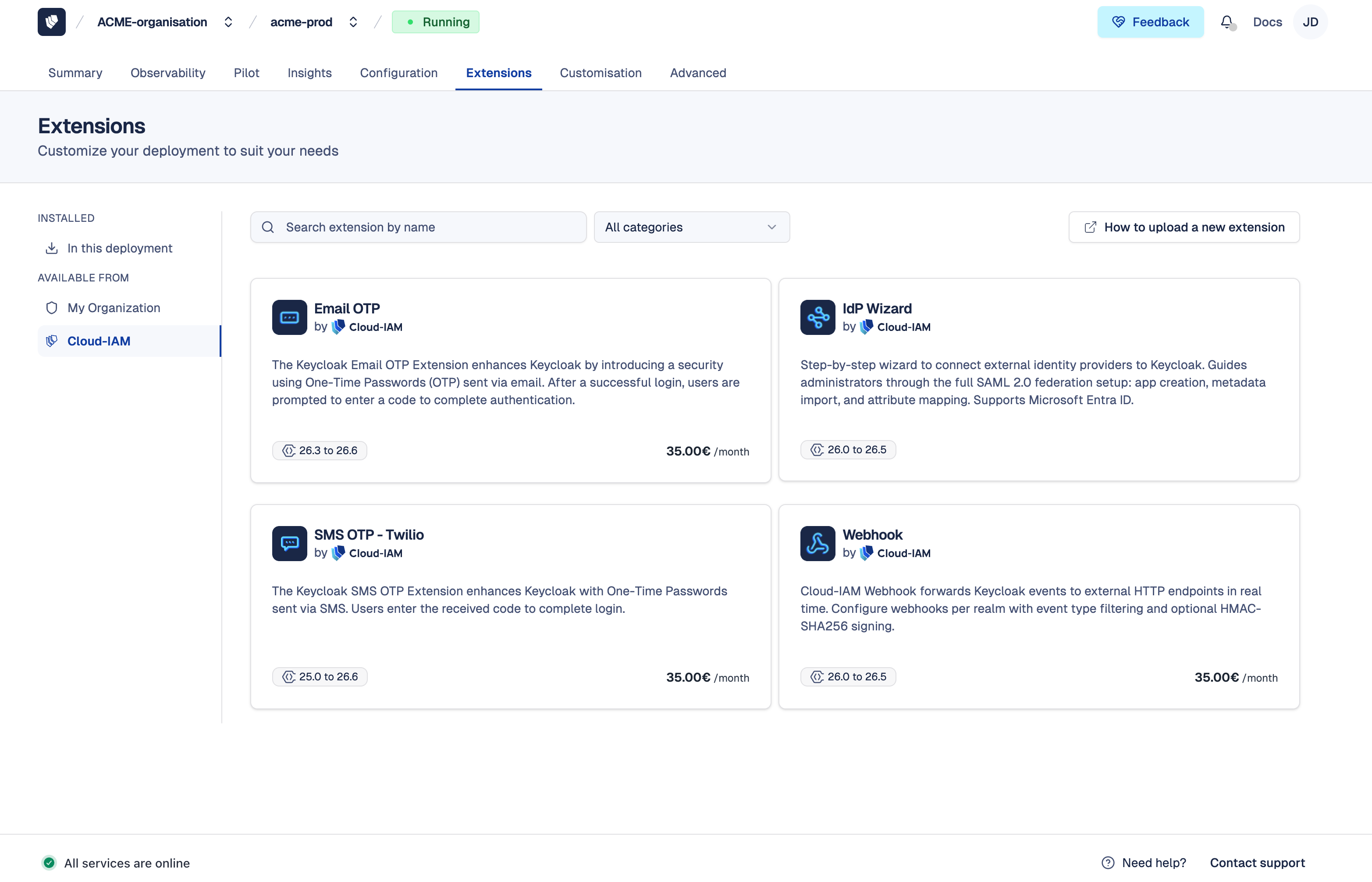
- Open Cloud-IAM console
- Select the Keycloak deployment you want to manage
- Navigate to the
Extensionssection - Click on the
Cloud-IAMtab
From this catalog, you can browse all available Cloud-IAM extensions, both free and paid, with a detailed description, installation instructions, and compatibility information for each one.
Who can add a Cloud-IAM extension?
A user with the Owner role in their organization can purchase and install Cloud-IAM extensions, whether free or paid. The deployment must be on a dedicated plan with one of the following support levels: Starter, Essential, Professional, or Max.
See Organization Roles and Cloud-IAM pricing for details.
You don't have access yet? Contact our support team, they will be able to guide you.
How to install a Cloud-IAM extension?
Cloud-IAM extensions are fully maintained by the Cloud-IAM team, unlike extensions from My Organization where your organization owns the code and manages releases, you simply install and use them.
Extension not visible in the catalog?
The catalog only displays extensions compatible with your deployment's current Keycloak version. If an extension you are looking for does not appear, your Keycloak version may not be supported yet. Update your Keycloak using Upgrade on-demand or contact our support team for more information.
- Follow this tutorial to access the Cloud-IAM Extensions catalog
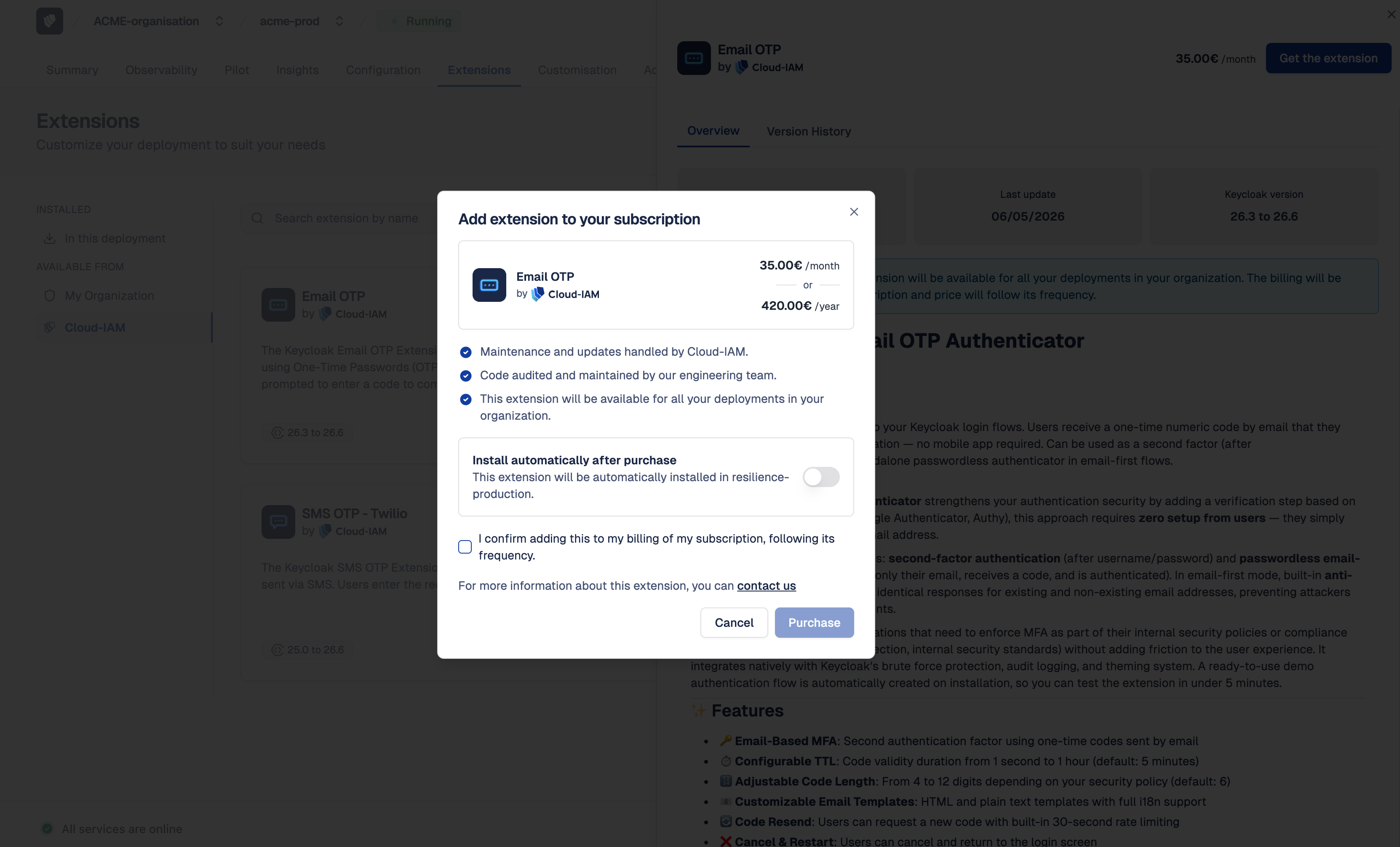
- Select the extension to install (a details panel will open on the right)
- Click on
Get the Extension - Choose whether to Apply now or Defer the installation
- Check the billing confirmation box to add the extension to your current subscription at its existing billing frequency (monthly or yearly)
- Click on
Purchaseto confirm
The extension is automatically added to your current subscription (monthly or yearly). After 5–10 minutes, while your Keycloak deployment redeploys via the rolling upgrade process, the extension will be active on your deployment and visible in the Installed tab. Once purchased, the extension is also available for installation on your other deployments at no additional cost.
Free extensions
Free Cloud-IAM extensions do not require a purchase step — click Install directly to add them to your deployment.
How to update a Cloud-IAM extension?
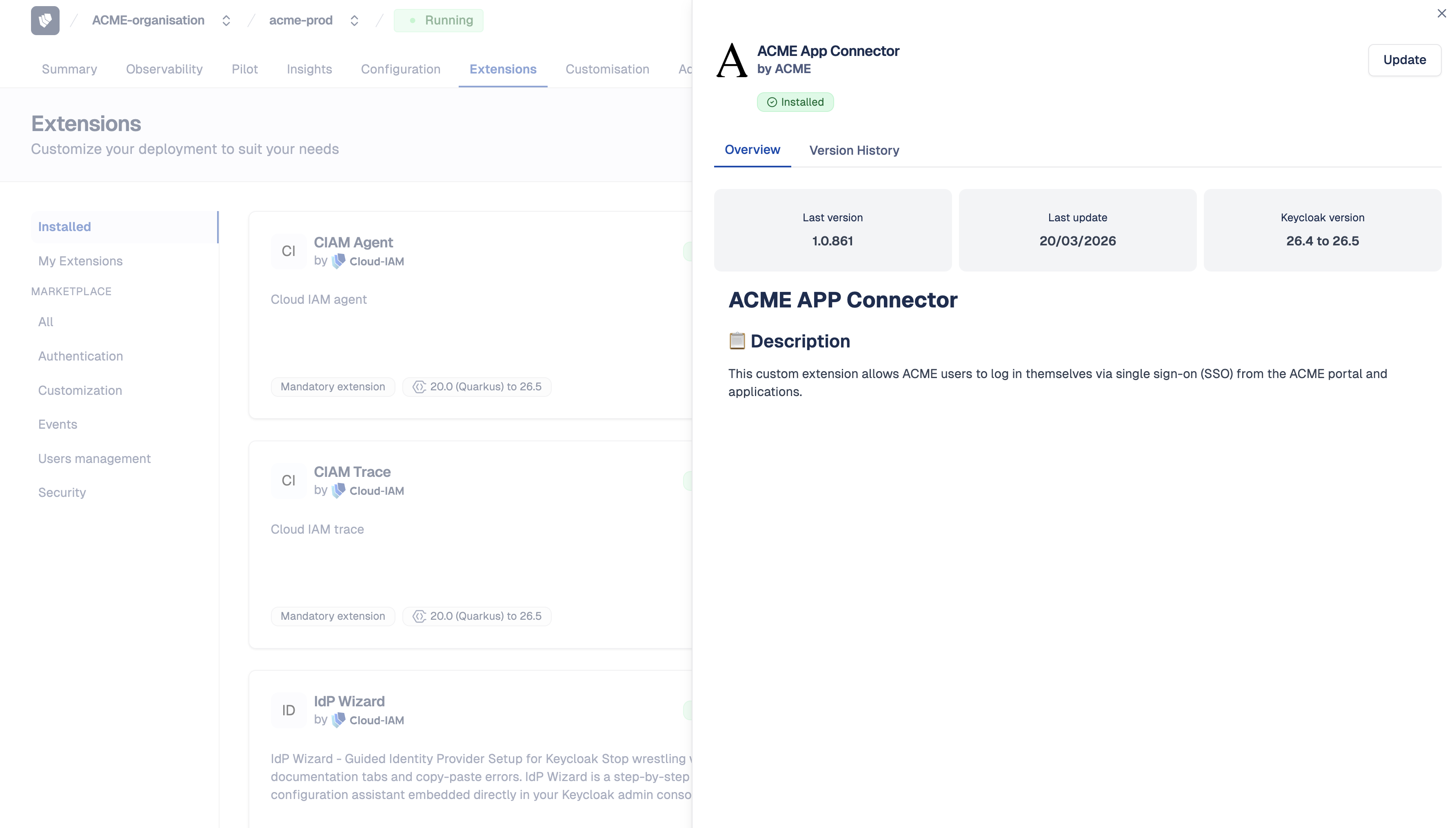
When Cloud-IAM publishes a new version of an extension installed on your deployment, it appears with an Update available badge in the Installed tab. Updates are included in your existing subscription at no additional cost.
To apply the update, follow the tutorial How to update an installed extension.
How to uninstall a Cloud-IAM extension?
Removing a Cloud-IAM extension is a two-step process: first uninstall it from all your deployments, then contact support to cancel the associated subscription.
Step 1 — Remove the extension from your deployments
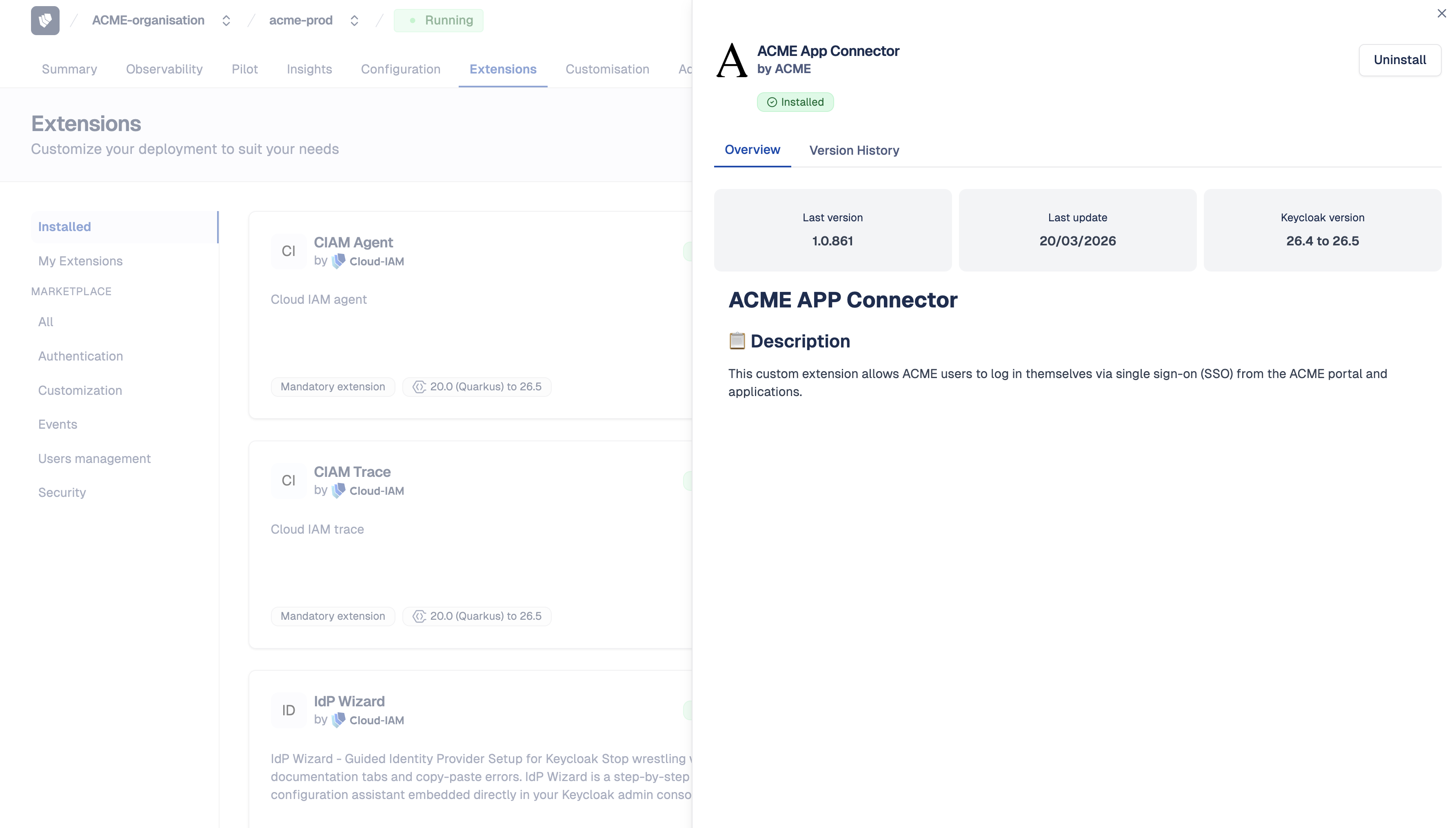
- Follow this tutorial to access deployment extensions
- Click on the
Installedtab - Select the extension you want to remove (a details panel will open on the right)
- Click on
Uninstall - Choose whether to Apply now or Defer the removal
- Click on
Uninstallto confirm
After 5–10 minutes, while your Keycloak deployment redeploys via the rolling upgrade process, the extension will be removed from your deployment.
Installed on multiple deployments?
Repeat this procedure for every deployment where the extension is installed before proceeding to Step 2.
Step 2 — Request subscription cancellation
Uninstalling the extension from your deployments does not automatically cancel the subscription. To stop billing, contact the Cloud-IAM support team:
- Submit a ticket or send a direct email to support.
- Use the subject line: Request to cancel extension subscription
- Include the following details in your message:
- Organization name and Organization ID
- Extension name
- Reason for cancellation
- Preferred cancellation date (if applicable)
Our support team will process your request and confirm the cancellation. The change will take effect on your next billing cycle based on your subscription frequency (monthly or yearly).
Can I use a paid extension across multiple deployments?
Yes. Once purchased, a paid extension is accessible to your entire organization. This means you can install it on all your compatible deployments — for example, both your testing and production environments — with a single subscription.
What extensions are available?
| Extension | Description |
|---|---|
| Email OTP | Add a second authentication factor using One-Time Passwords sent via email. |
| SMS OTP with Twilio | Add SMS-based One-Time Passwords to your authentication flow. Users receive a verification code via SMS to complete login. |
| Identity Provider Wizard | Simplify SAML 2.0 federation setup: application creation, metadata import, and attribute mapping. Supports Microsoft Entra ID. |
| Webhook | Dispatch Keycloak events in real time as JSON payloads to your HTTP endpoints. Supports authentication events (login, logout, register) and admin events (realm changes, user management). |
Looking for something else?
If you don't find what you need or want to know about upcoming extensions, contact our support team.