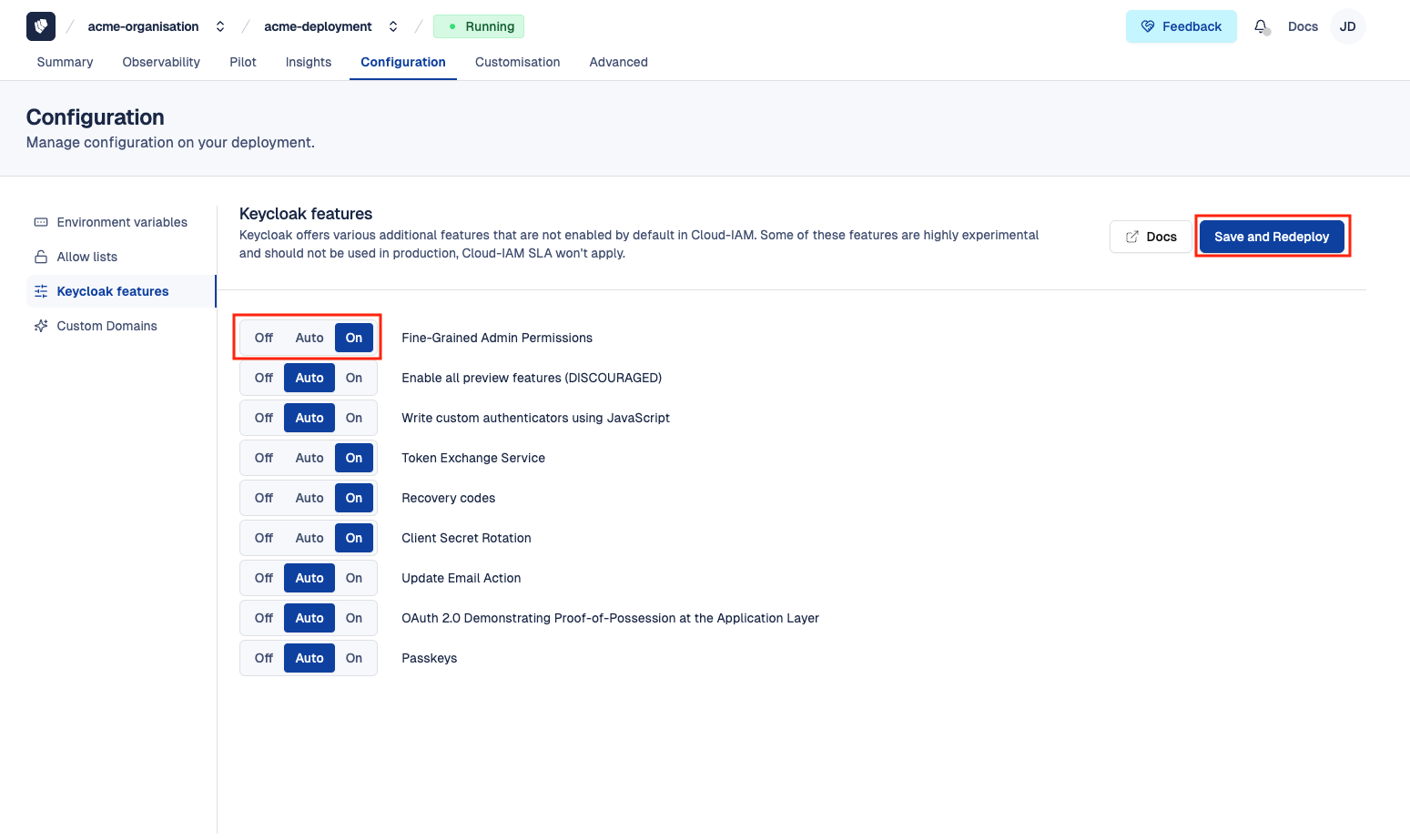
Keycloak Features Management in Cloud-IAM
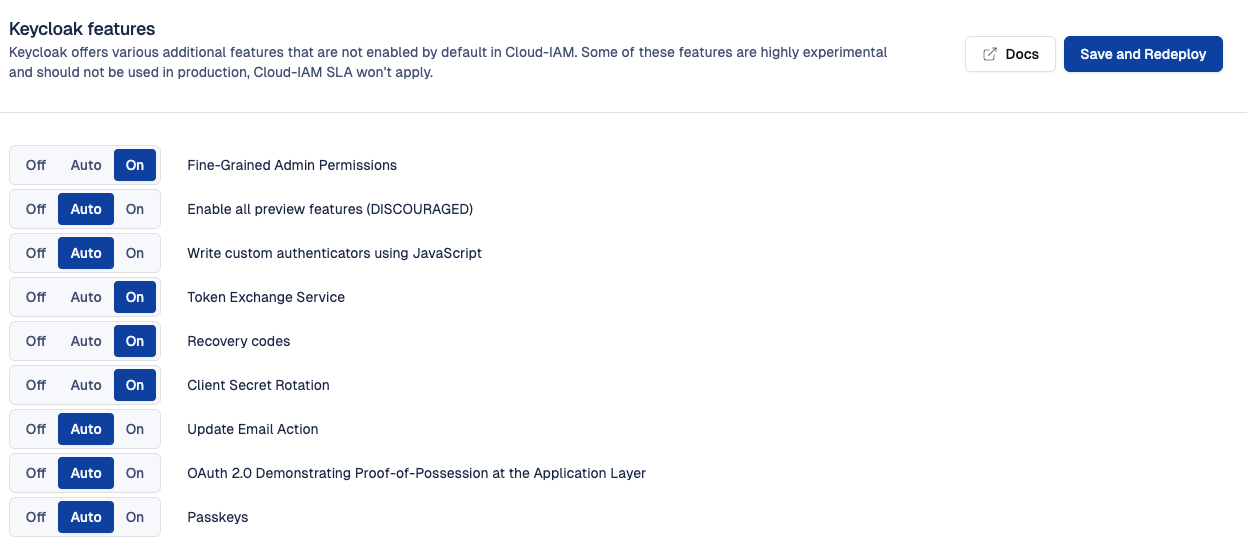
What are Keycloak features
Cloud-IAM provides a vanilla Keycloak distribution, meaning it ships each official Keycloak version as-is, including its default feature set. Keycloak features are optional capabilities that can be turned On or Off or keep Auto at server startup.
Each Keycloak release may include:
- Stable (production-ready) features
- Disabled features (not active by default)
- Experimental or technology preview features
- Deprecated features (scheduled for removal)
For more details about each feature type, refer to the official Keycloak feature documentation.
Cloud-IAM makes it easy to manage these features via the console. They can be toggled using additional flags passed at server startup. The list of available features is maintained by Cloud-IAM and depends on the specific Keycloak version running in your cluster.
Understanding the On / Off / Auto toggle
Each feature is controlled by a three-position toggle. Each position maps directly to how Keycloak handles features at startup:
On— the feature is forced enabled. Cloud-IAM passes--features=<feature>when starting Keycloak.Off— the feature is forced disabled. Cloud-IAM passes--features-disabled=<feature>when starting Keycloak.Auto— nothing is forced. Keycloak applies its default behavior for that feature, in the version deployed.
The key point is what Auto actually does, because the default depends on the feature type in your Keycloak version:
| Feature type | Default in Keycloak | Effect of Auto |
|---|---|---|
| Supported (stable) | Enabled | Feature is active |
| Preview | Disabled | Feature is inactive |
| Experimental | Disabled | Feature is inactive |
| Deprecated | Disabled | Feature is inactive |
In other words, Auto means "let Keycloak decide". For a supported feature, Auto is practically equivalent to On; for a preview or experimental feature, Auto is practically equivalent to Off.
How to check a feature's effective state under Auto
Because the default depends on the feature type and your Keycloak version, the most reliable way to know what Auto resolves to is to:
- Consult the official Keycloak "Enabling and disabling features" page, which lists each feature and its type (supported / preview / experimental) per version.
- Or connect to your Keycloak admin console and open
/admin/master/console/#/master/infoto see every feature currently enabled or disabled on your deployment.
Can I enable experimental features in production?
Preview and experimental features are not considered production-ready by the Keycloak project, and they may change behavior or be removed entirely in a future release.
Cloud-IAM recommends enabling them only in testing or development environments. If you do enable one, avoid building production workflows that depend on it, so an upgrade can't break your deployment unexpectedly.
How to access Keycloak features
Follow these easy steps to access:
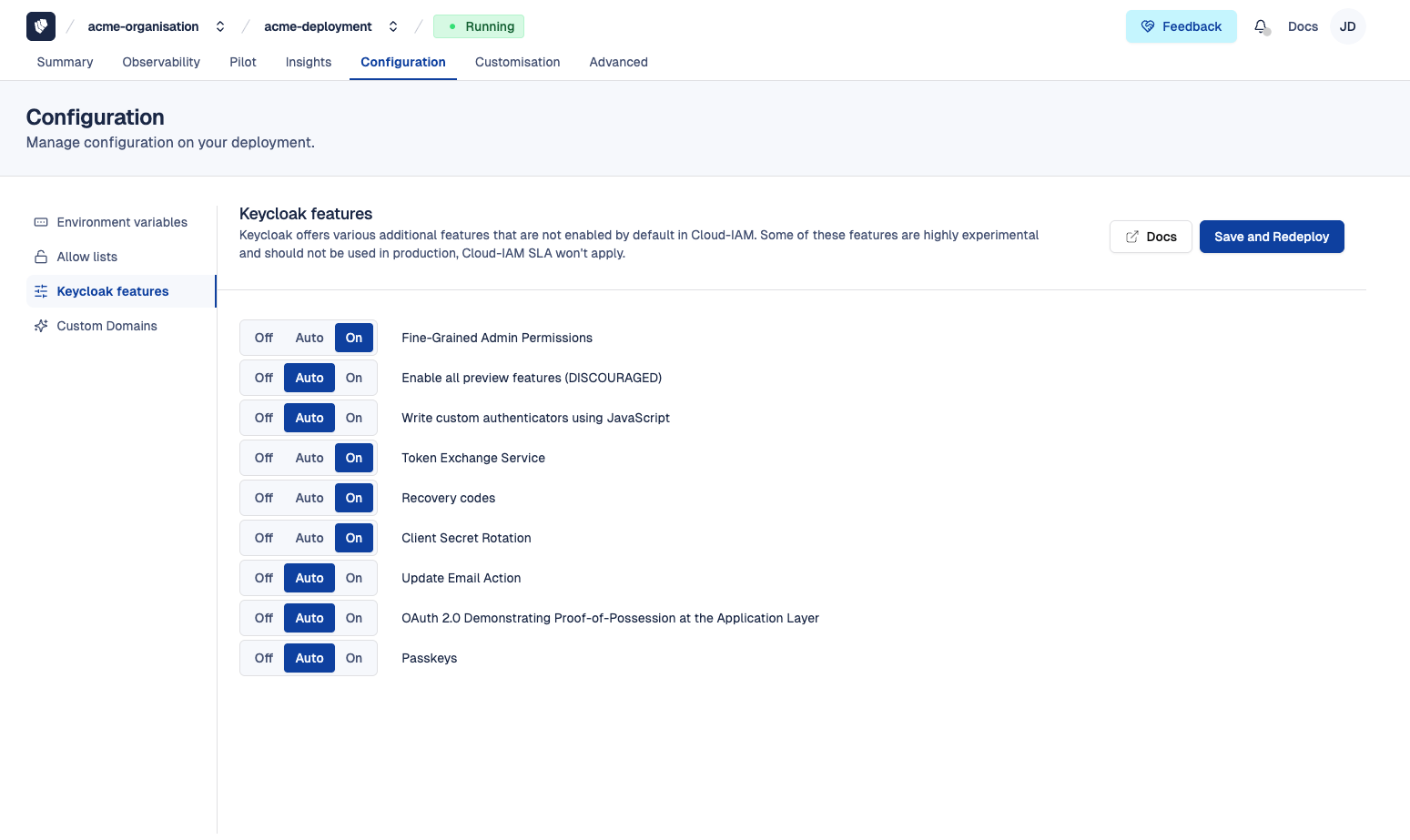
- Open Cloud-IAM console
- Select the Keycloak deployment you want to configure.
- Click on
configuration - Then select
Keycloak Features
You will see all Keycloak features available for your deployment and its Keycloak version.
How to modify Keycloak features
To modify the status of Keycloak features:
- Follow the steps in the How to access Keycloak features section
- For each feature, choose one of the following options:
Off— force the feature disabledAuto— let Keycloak apply its default behavior (default setting)On— force the feature enabled
- Click
Save and Redeployto apply your changes
After 5–10 minutes, while your Keycloak deployment redeploys via the rolling upgrade process, the changes will be applied.