
Keycloak Users Concept
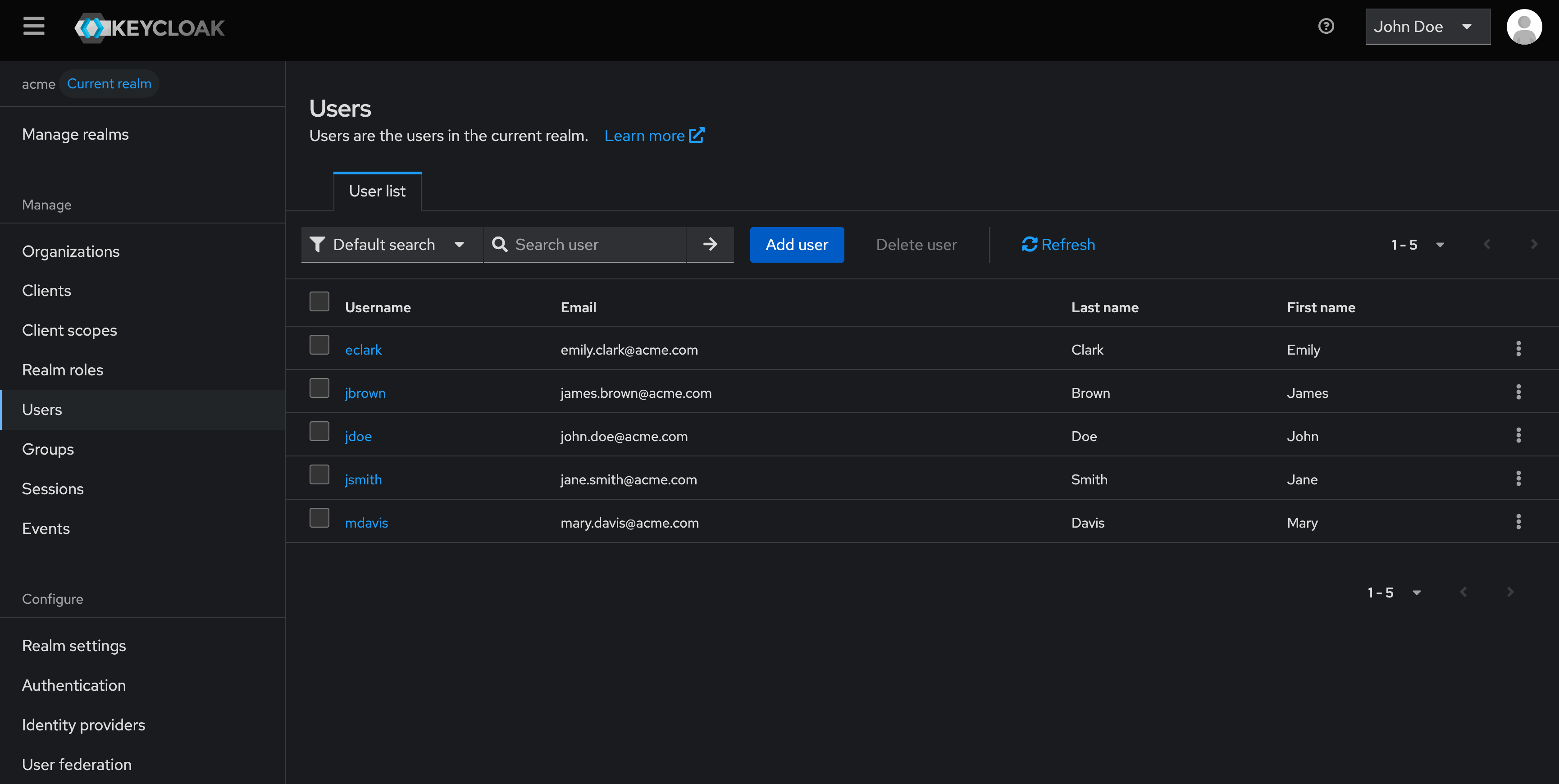
What Is a User in Keycloak?
A user in Keycloak represents a human identity managed within a specific realm. Users authenticate to Keycloak, access applications, and interact with protected resources according to the permissions assigned to them.
Each user exists inside a single realm and is fully isolated from users in other realms. A user may authenticate using local credentials managed by Keycloak or through an external identity provider, such as a corporate directory or a federated IdP.
Users do not inherently have permissions. Access is granted through roles and group memberships, which define what the user is allowed to do in applications and administrative interfaces. The same user model applies to both standard users and administrative users; administrative capabilities are simply granted through specific admin roles rather than a different user type.
Users can be managed either through the Keycloak Admin Console or programmatically using the Keycloak Admin API. API-based user management is commonly used for automation, CI/CD pipelines, and large-scale identity operations, typically through service accounts.
User Access and Account Management
Once authenticated, a user typically interacts with Keycloak in two distinct contexts.
First, the user accesses one or more applications (clients) protected by Keycloak. These applications rely on Keycloak for authentication and authorization, and the user’s access depends on the roles and groups assigned to their identity.
Second, the user can access the Keycloak Account Console, which allows them to manage their own identity information. This self-service interface is available at:
https://{keycloak-url}/realms/{realm}/account/![[Keycloak] - Account console](/assets/keycloak-account-console.DSCJK1d3.png)
Through the Account Console, users can:
- manage personal information (name, email, attributes)
- update account security settings (password, MFA, passkeys)
- review active devices and sessions
- view connected applications
- manage organization memberships (when enabled)
This separation ensures that users can manage their own identity and security settings without requiring administrative access to Keycloak.
User Identity and State
User Attributes
Each user in Keycloak is defined by a set of attributes. Some attributes are mandatory and always present, while others are optional or configurable depending on the identity model.
Mandatory attributes include the internal user ID, username, creation timestamp, and enabled status. Optional attributes such as first name, last name, email, and email verification status depend on the User Profile configuration.
Keycloak also supports custom attributes, allowing you to store additional identity data tailored to your business needs, especially in CIAM and B2B scenarios.
User Lifecycle and Status
A user goes through several lifecycle states that directly affect authentication behavior. These states include whether the user is enabled or disabled, whether credentials are temporary, and whether required actions (such as password update or email verification) are enforced at login.
Lifecycle states are a common source of authentication issues and should be checked first during troubleshooting.
Authorization Structures
Roles, Groups, and Organizations
Users receive permissions through a combination of roles, groups, and, in some deployments, organizations.
Roles define what a user is allowed to do. They can apply globally within a realm or be scoped to a specific client. Roles may be assigned directly or inherited through group membership.
Groups organize users into logical collections such as teams, departments, or customer segments. Assigning roles to groups simplifies administration and ensures consistent access control.
Organizations group users under higher-level business entities and are mainly used in B2B or multi-tenant environments. A user may belong to multiple organizations and hold different roles depending on context.
![[Keycloak Diagram] - Roles, Groups, and Organizations](/assets/keycloak-diagram-authorization-structures.BO_WOWOG.png)
Authentication and Identity Sources
Credentials Managed by Keycloak
Credentials define how a user authenticates when Keycloak is the identity authority. These include passwords, multi-factor authentication methods, and WebAuthn credentials such as security keys or passkeys.
Credential management may be handled through user self-service flows or administrative actions, depending on policy.
Identity Provider (IdP) Links and Source of Truth
A user may be linked to one or more external identity providers through federation or brokering.
In this case, authentication is performed by the external IdP, which becomes the source of truth for credentials and authentication policies. Keycloak does not store passwords or MFA secrets for federated users.
Keycloak maintains a local user representation that stores identity attributes, role and group assignments, sessions, and application access. User attributes may be synchronized from the external IdP or managed locally, depending on configuration.
This model allows Keycloak to centralize authorization while delegating authentication to trusted systems.
User Activity, Visibility, and Audit
Consents
User consents record approvals granted to applications requesting access to scopes or permissions. They are primarily used in CIAM scenarios and can be reviewed or revoked by users at any time.
Sessions
Keycloak tracks active user sessions, including login time, associated applications, and recent activity. Administrators can view or terminate sessions to enforce security or respond to suspicious behavior.
Events
Keycloak generates events for user-related actions such as logins, logouts, password resets, authentication failures, and profile updates. Events are essential for auditing, monitoring, and troubleshooting.
Configuration
How to Create a User in Keycloak
This tutorial explains how to create a user manually using the Keycloak Admin Console.
This method is commonly used for testing, administration, or small-scale user management.
This tutorial does not cover all the necessary security best practices for a complete configuration.
Step 1 — Access the Users Section
- Log in to your Keycloak as Admin
- Select the target realm (here : acme)
- Navigate to
Users - Click
Create user
![[Keycloak Console] - Access the Users Section](/assets/keycloak-user-step1.Cu3Mu4_r.png)
Step 2 — Configure User Information
- Fill in the user attributes:
- Username
- First name
- Last name
- Enable the user if required
- Click
Save
![[Keycloak Console] - Configure User Information](/assets/keycloak-user-step2.Hu-Fw8KE.png)
The user is now created but cannot authenticate yet.
Step 3 — Set User Credentials
- Open the
Credentialstab - Click on
Set password - Enter the user’s password
- Choose whether the password is temporary
- Click
Save - Confirm by clicking
Save password
![[Keycloak Console] - Set User Credentials](/assets/keycloak-user-step3.Bn9knaR_.png)
The user is now fully configured and can authenticate